

A premium interface
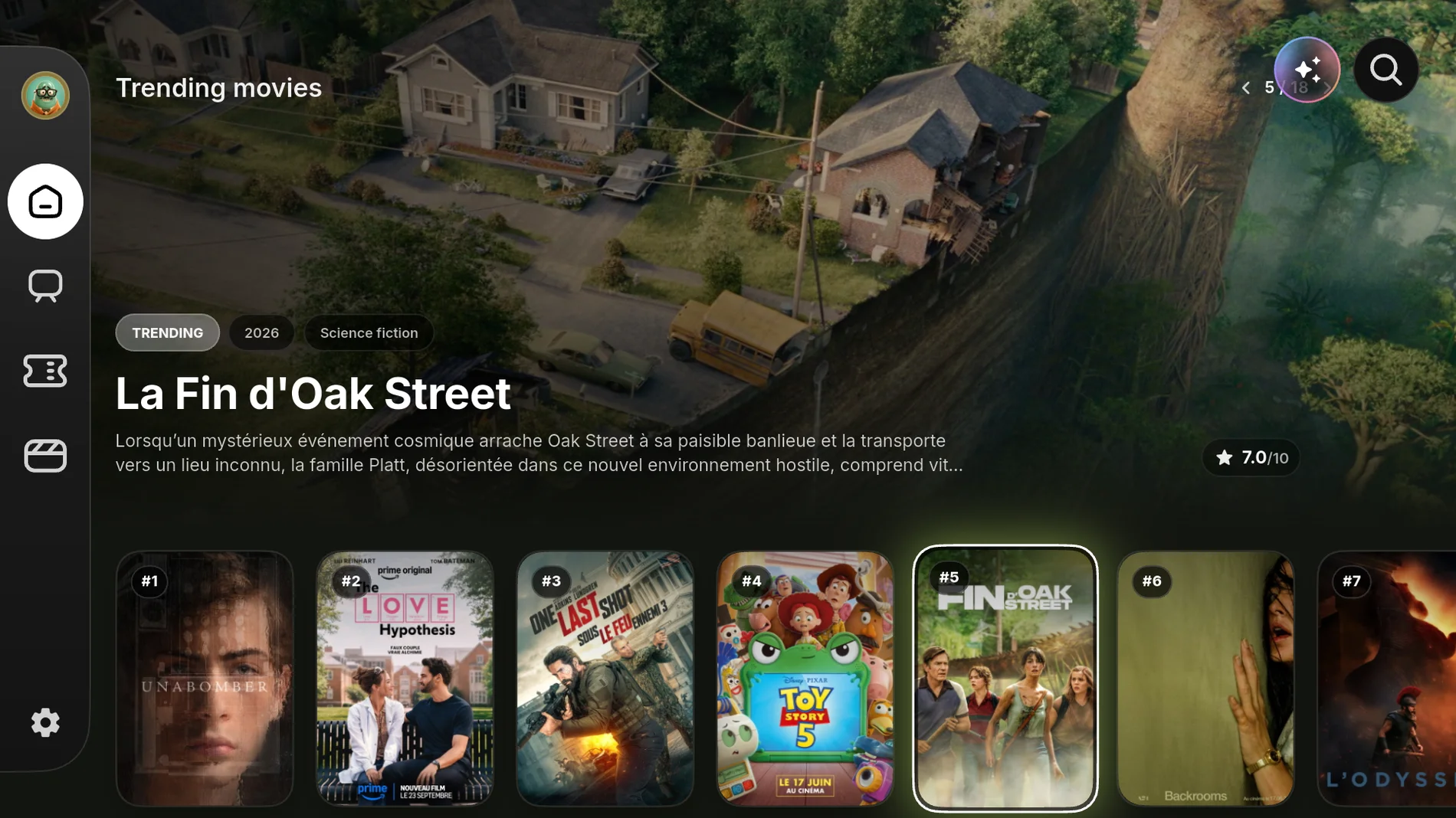
Rich posters via TMDB, detailed pages, trailers. The polish of a high-end streaming service.
SublimeTV turns your IPTV subscription into a premium streaming experience. Live, movies, series and sport, brought together in an interface built for the big screen and synced across all your devices.


No need to know the title. Describe a mood, a decade, an actor. The AI suggests real works, then keeps only the ones you can start right now.
A Premium feature. One search a week on us, to try it.
A few examples
Designed like a modern streaming app, not an IPTV channel list.
Rich posters via TMDB, detailed pages, trailers. The polish of a high-end streaming service.
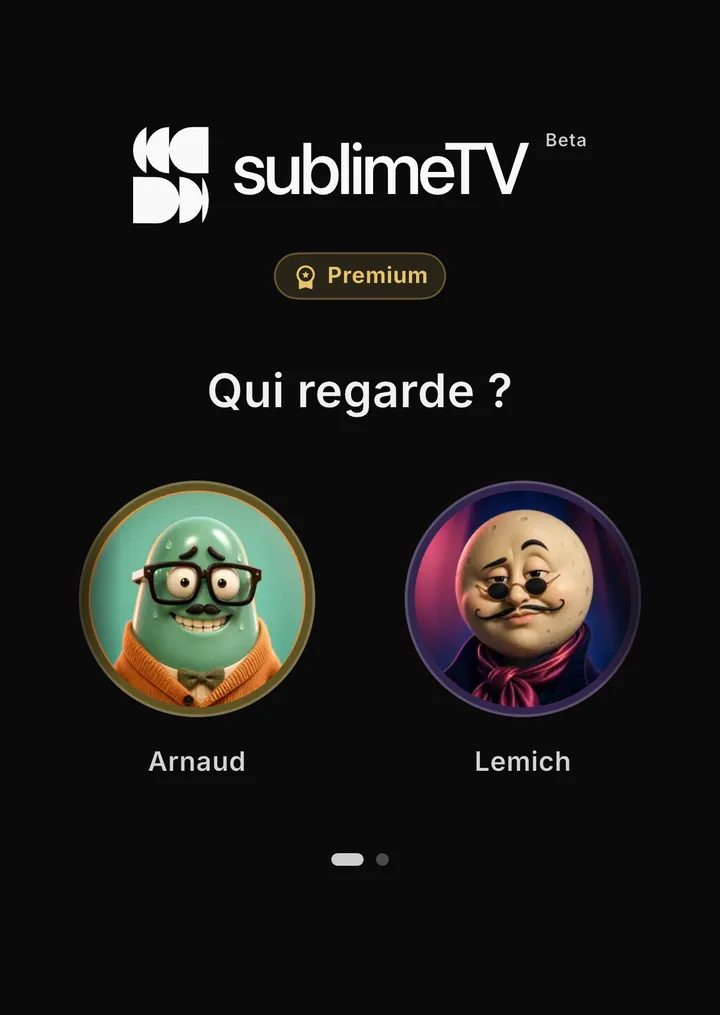
Favorites, history and colour unique to each member. “Who's watching?”, and everyone finds their own world.
Start on the TV, finish on your phone. Favorites, history and resume follow automatically.
Resume playback drops you right back at the moment, on any device. No more “where was I again?”.
Scan and you're connected. No password to type on the remote: you enter it from your phone.

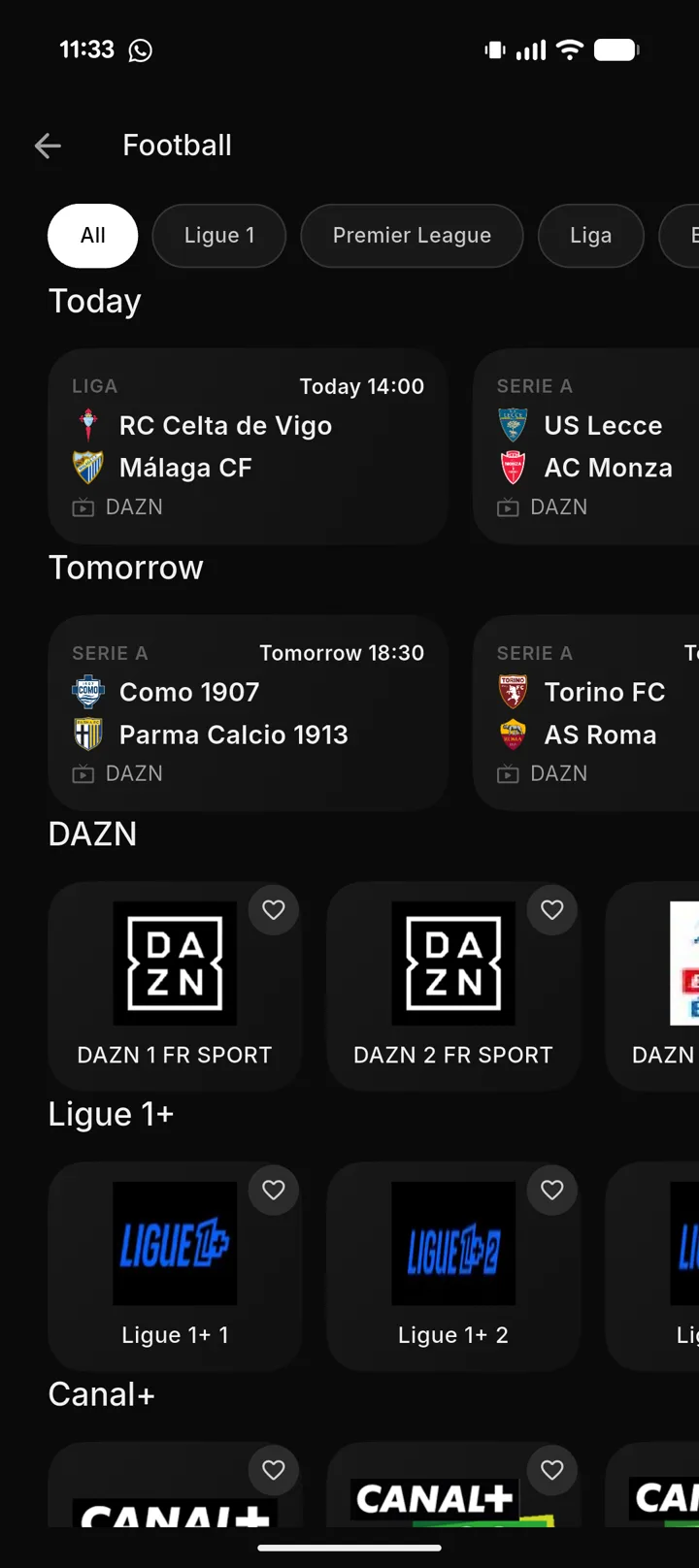
Today's and tomorrow's fixtures, the Grand Prix session by session, NBA and cricket, with their broadcaster and the matching feed from your own playlist. Plus the standings: leagues, drivers and constructors. Replays included, when your provider records the channel.
A movie found on your phone flings in one tap to the SublimeTV app already open on your TV (same account, same profile) and resumes to the exact second. Distinct from Chromecast: the TV must be running SublimeTV.
All your worlds in one place, organised and enriched: no more juggling unreadable categories.
When an episode ends, the next one starts automatically Netflix-style: a 10 s countdown, or cancel in one tap. Binge without lifting a finger.
Stream movies, series and live to any Chromecast or Google TV, straight from your phone.
Download movies and episodes on your phone or PC and watch them on a plane or a train. On mobile, downloads keep going with the screen off and the app closed.
Start the current programme over, or catch up on the past few days, whenever your provider records the channel (Xtream playlists). When it ends, the next programme follows on its own.
Pick the audio track and subtitles, including the ones embedded in the file. Your choice is remembered per profile and reapplied to the next episodes. Forced subtitles stay on.
An experience designed separately for each device, not a single UI stretched to fit.

Remote navigation, full-screen posters, side menus: an interface built to be read three metres from the couch.
Poster, rating, synopsis, cast and trailer: every title opens on a polished page, as at home on the living-room PC hooked to the TV as in a window while you work.
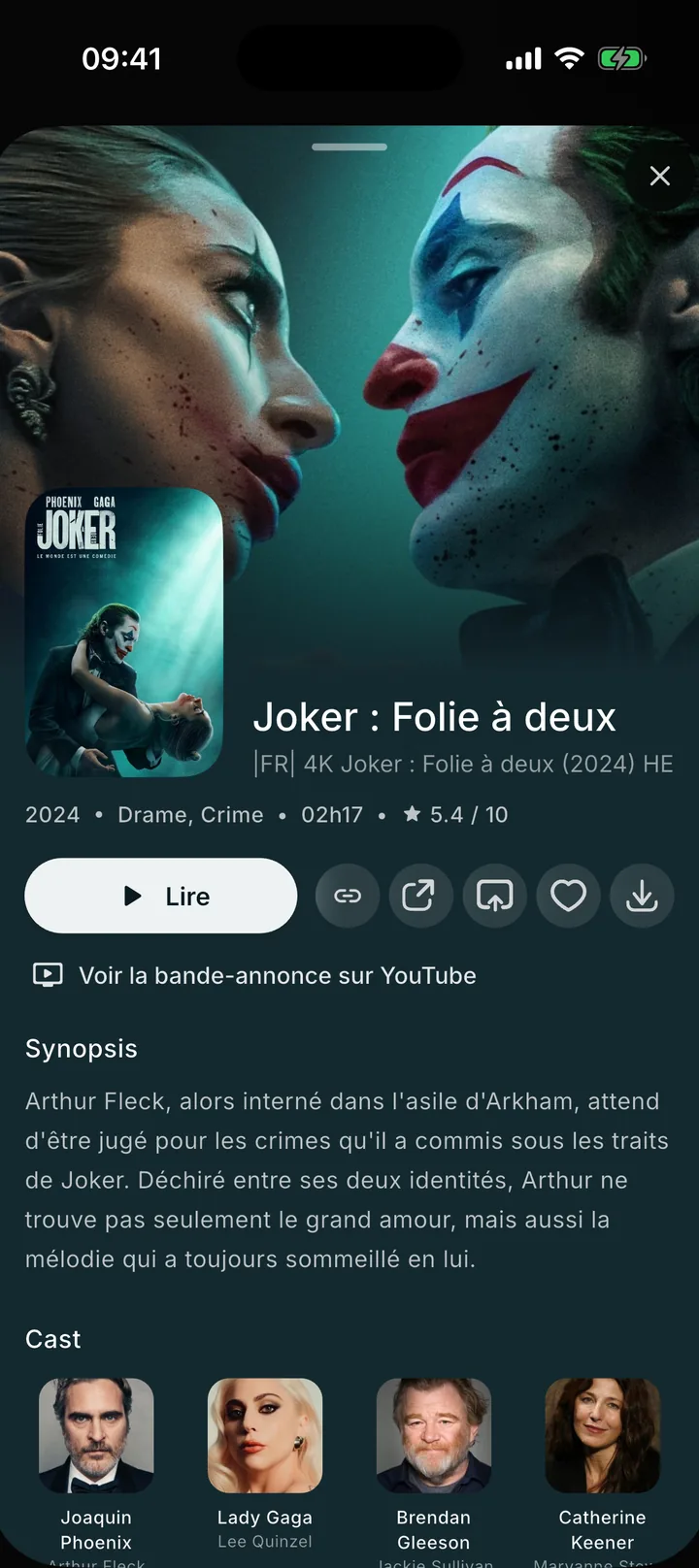
Home, live and resume optimised for touch, plus sending what you're watching to the SublimeTV app open on your TV, with a single gesture.
Xtream or M3U, from your phone, never typed on the TV.
The TV shows a QR, your phone scans it, it's linked.
Profiles, favorites and resume points sync to every screen.
The essentials are in Free. Premium adds resume playback, favorites, multiple profiles, offline downloads and sending to the TV.
7 days of Premium included when you sign up
The essentials, for nothing.
 Most complete
The whole household, on every screen.
Premium is activated from the app, in the account settings. Every new account starts with 7 days of Premium, no payment method asked: when they end, it goes back to Free on its own, with nothing to pay or cancel. Files already downloaded stay usable if an account goes back to Free. Only one profile stays active: the others are locked until Premium returns.
SublimeTV follows you from the living room to your pocket, never losing the thread.
SublimeTV is a player. The app provides, hosts and distributes no content: no channel, no movie, no series, no stream, no catalogue.
You connect your own subscription through a URL (Xtream or M3U) that you alone provide and control. SublimeTV simply reads the sources you add: it references and offers none of its own.
You are solely responsible for the content you access and for your sources' compliance with applicable law and the rights of rightsholders. SublimeTV declines all responsibility for the use made of the app and for third-party content.
Download SublimeTV and connect your IPTV subscription in under a minute.
Rather skip the stores? Windows .exe installer · Android APK · Fire TV Stick: code 9900479 in the Downloader app.
Latest version:
Windows · macOS · iPhone & iPad · Android (mobile & TV). One account, everywhere. On Fire TV Stick, install the APK and allow installation from this source. On macOS, the app isn't signed by Apple yet: right-click the app and choose "Open" the first time.

